Eight bands.
Straight to the silicon.
moondrop_control.py reads and writes the parametric EQ, pre-gain and DAC
offset on a Moondrop USB DAC's own DSP, over USB HID. No browser, no account,
no vendor app — and a native desktop front-end when you want a curve to drag.
- 8
- bands, on the DAC
- 11
- devices listed
- 59,700
- community curves
- 2
- CLI dependencies
The command line is the tool.
Everything else here is built on one file. The desktop app imports it and calls its engine rather than reimplementing the protocol, so anything the window writes went through the same validation the shell does.
$ python3 moondrop_control.py --list
Connected Moondrop Devices:
  - DAWN PRO2 [Vendor ID: 0x35D8, Product ID: 0x011D] (Path: /dev/hidraw2)

$ python3 moondrop_control.py --info
Device Name:       DAWN PRO2
Firmware Version:  1.5
Active EQ Profile: 9
Pre-Gain:          -4.80 dB
Global Gain:       0.00 dB
PEQ Bands:         8
$ python3 moondrop_control.py --set-peq 0 peaking 1000 -3.0 1.0

# audition it live, then decide to keep it
$ python3 moondrop_control.py --set-peq 0 peaking 1000 -3.0 1.0 --no-flash
$ python3 moondrop_control.py --save-flash

# it writes to flash. back the device up first.
$ python3 moondrop_control.py --export-json profile.json
| Flag | Does | Opens the DAC |
|---|---|---|
| --list · --info | Connected devices; firmware, profile and both gains | yes |
| --get-peq | Dump every PEQ slot as it currently reads back | yes |
| --set-peq | One band: index, filter type, frequency, gain, Q | yes |
| --set-pregain | Headroom, in dB | yes |
| --export-json · --import-json | A full device snapshot, out and back | yes |
| --import-rew | AutoEQ / REW ParametricEQ.txt, preamp honoured | yes |
| --json | Full device state on stdout, for front-ends | yes |
| --registry | This file's device table, as JSON | no |
| --presets · --preset | Browse the community library; pull one curve down | no |
| -i | Interactive tuning panel, in the terminal | yes |
Only one process can usefully hold the hidraw at a time — two readers pick up each
other's replies. So anything passive (a tray icon, a status pill, a preset browser) must
not be the second one. --registry, --presets and
--preset touch no hardware at all: strace-verified, zero
/dev/hidraw opens. Every flag and its output is in
the manual.
One screen. Everything on it.
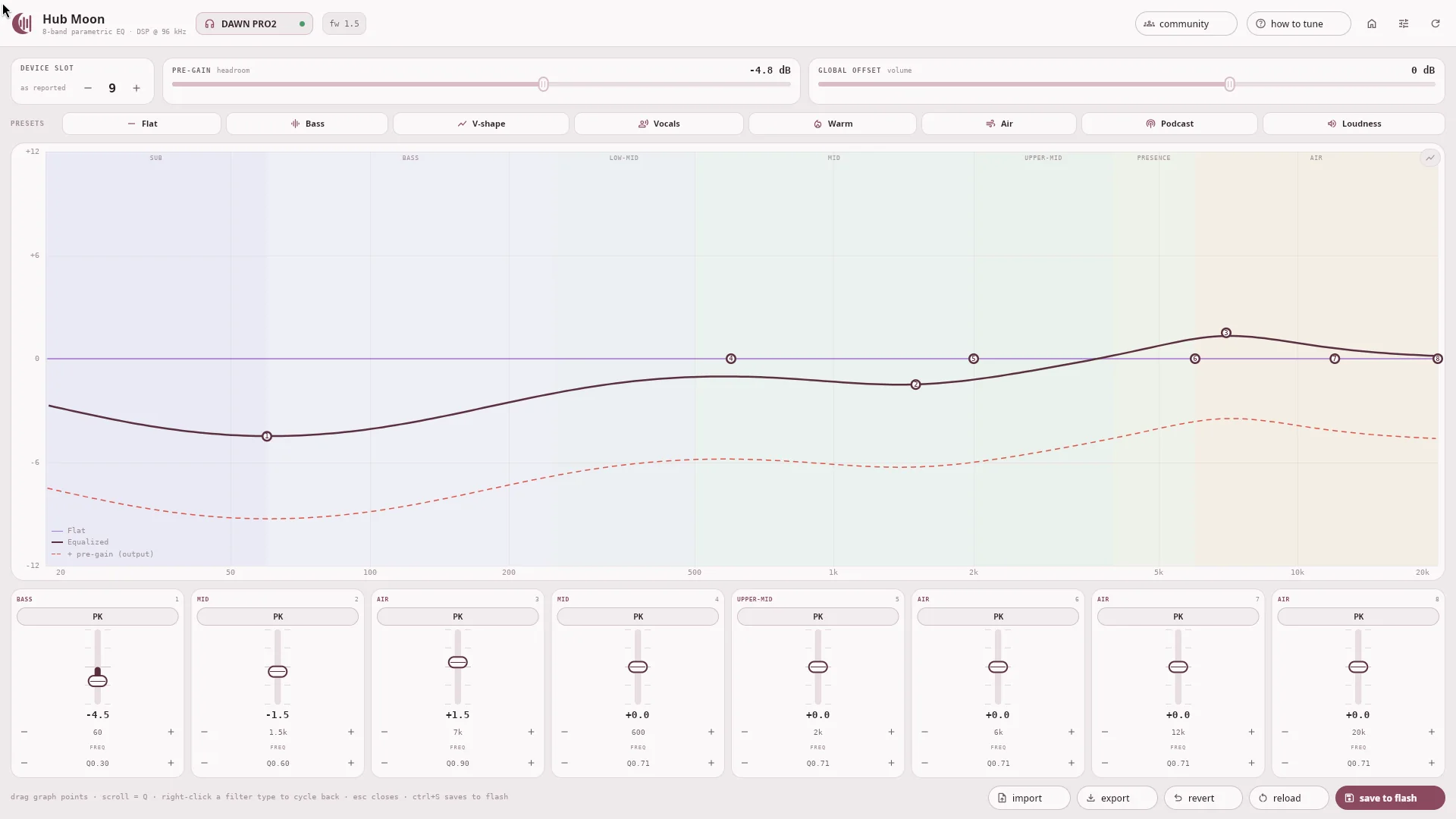
A native window, not a web view. Install it and open it like any other app — from your launcher, or the Start menu, or Applications. The command line is there if you want it, and it is the same program either way; you do not need it to use Hub Moon. Device slot, pre-gain and global offset; eight presets; the response graph; all eight bands; and the actions, with nothing behind a tab.

Drag the curve
Each band has a numbered handle on the plot. Drag it to move that band; scroll anywhere on the plot to widen or narrow the one you picked. The graph is the control — the card below it follows.
Live, then saved
Edits go straight to the DSP so you hear them as you tune. Only save to flash keeps them. Revert restores the last saved state, which a re-read cannot do: the DSP only ever reports what was written to it last.
Written on release
Every readout is live while you drag, but the hidraw is only touched when you let go — a HID write per mouse-move would queue hundreds behind the one that matters.
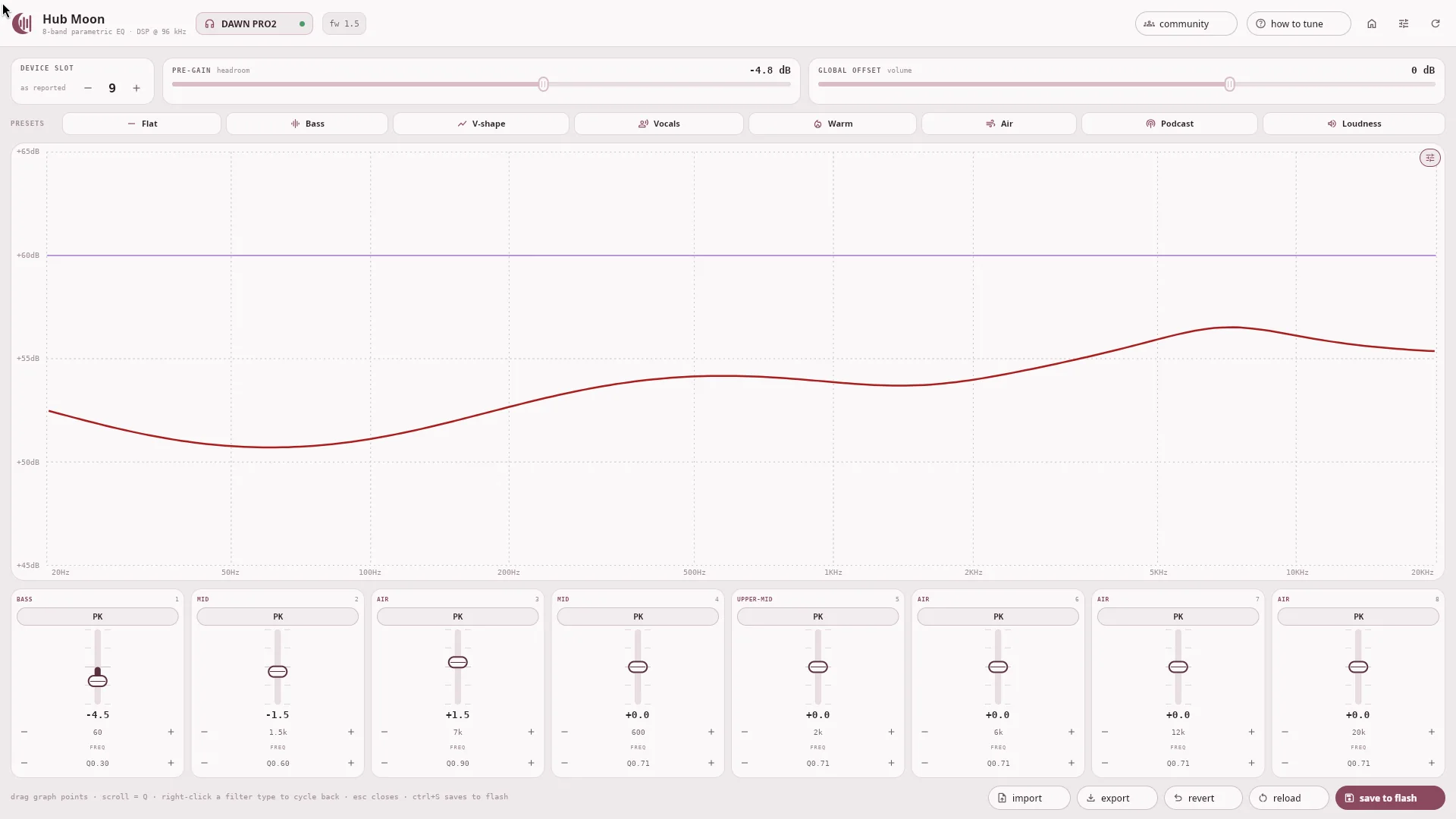
Two graph views: the editor draws the flat reference, the equalised curve and a dashed + pre-gain (output) curve — what actually leaves the DAC once headroom is paid. The readout drops the handles for the vendor chart's framing.
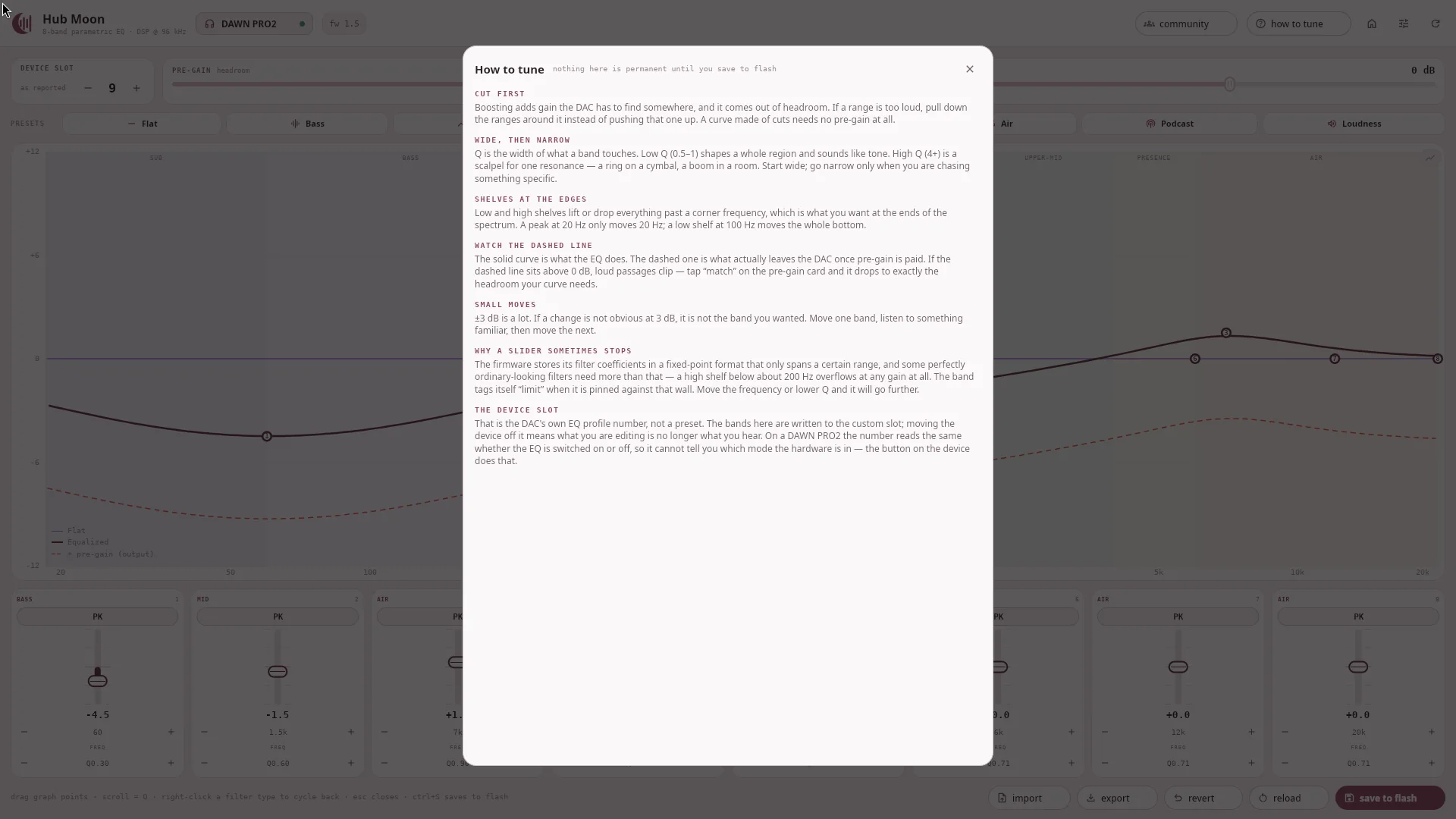
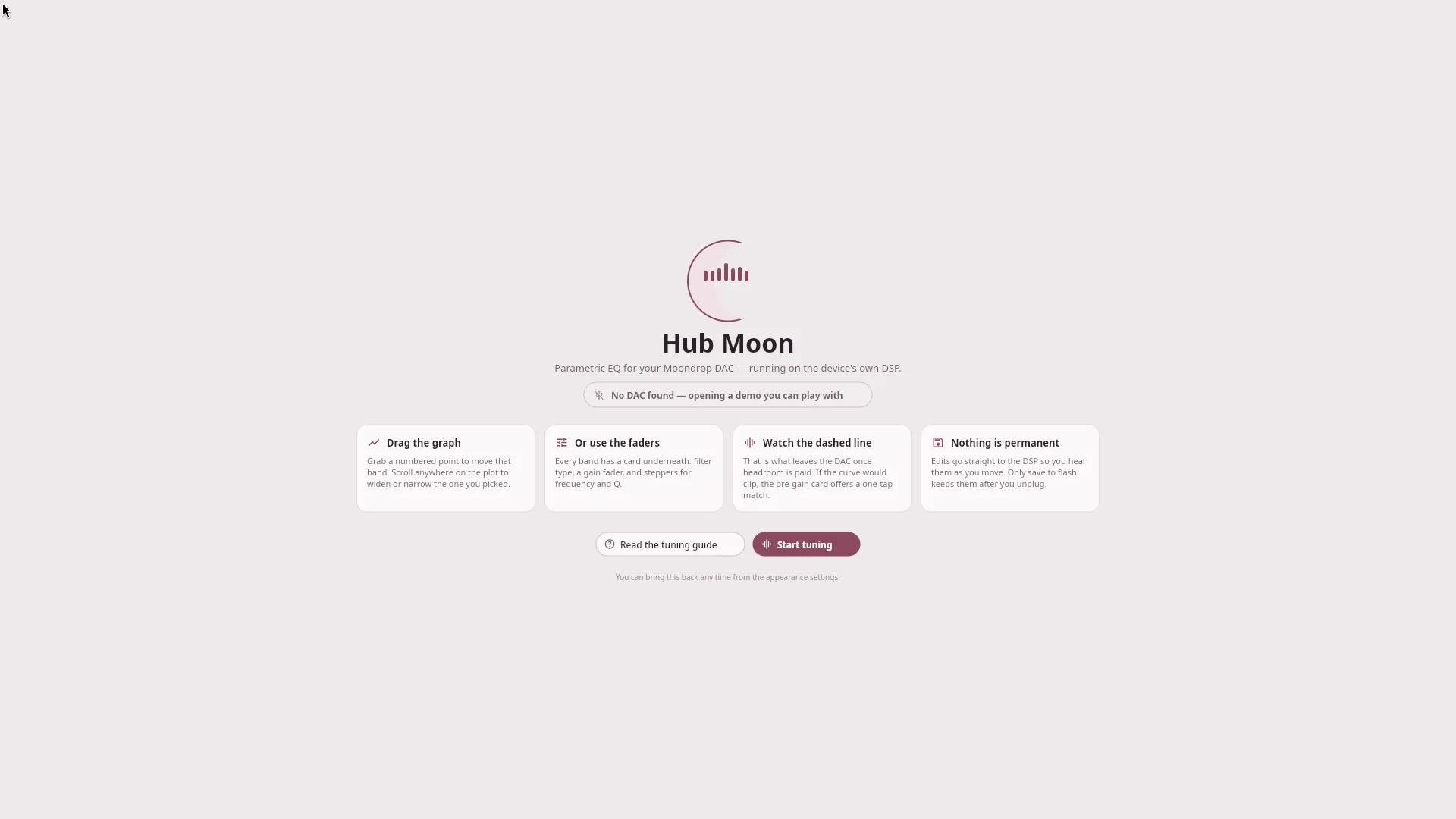
The toolkit is Slint, lazy-imported and installed only if you ask for it — the plain CLI keeps its two-dependency footprint. No fonts ship and none have to be found: the icons are vector outlines generated into the interface. With no DAC present it opens on a demo curve, so the app can be looked at without hardware.
Two themes. Six accents.
Its own colours, not the vendor's near-black and blue. Dark is re-picked rather than inverted — every value chosen twice. The switch at the top of this page changes the page and every screenshot on it, so you are looking at the real thing in both modes.
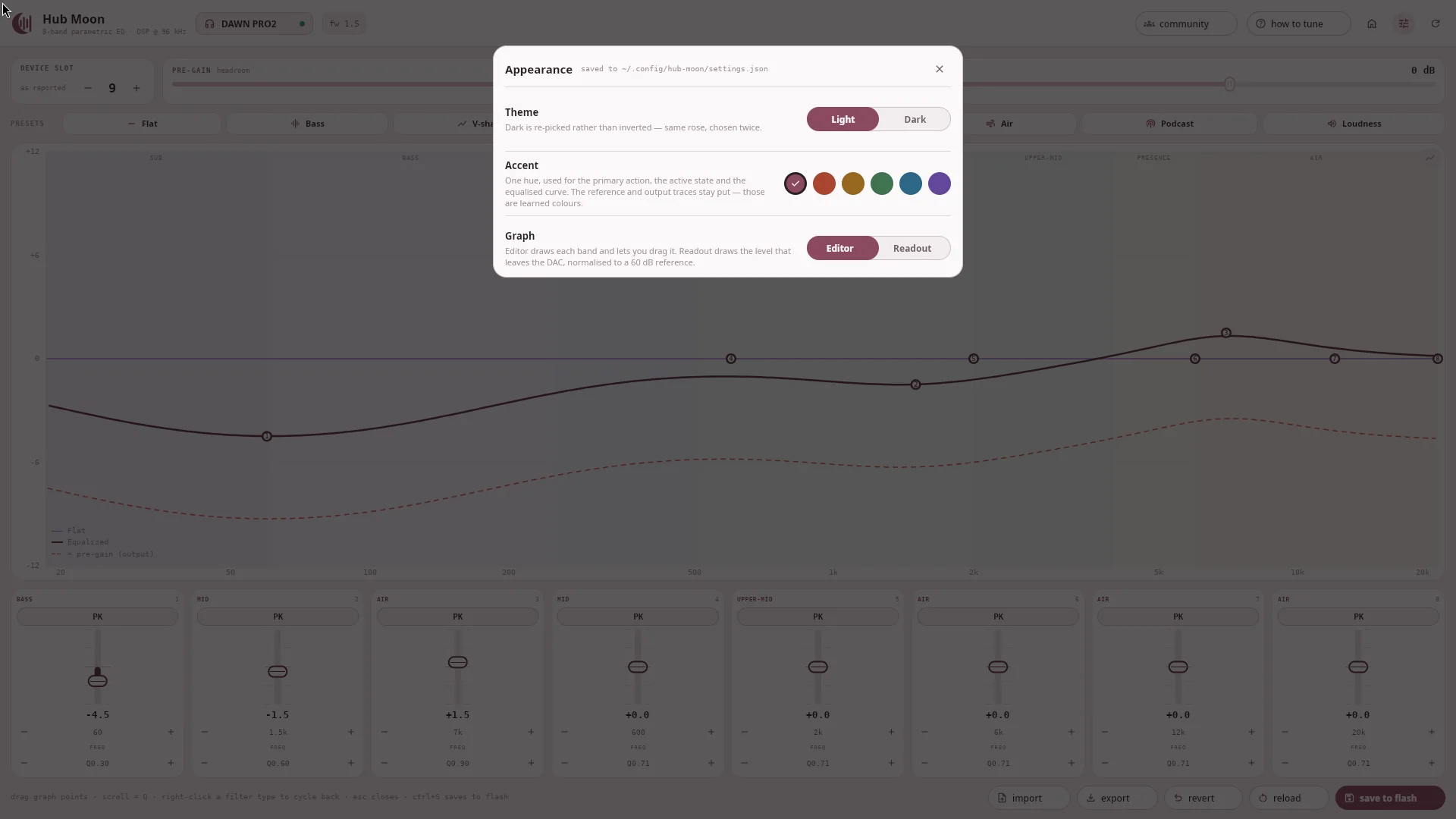
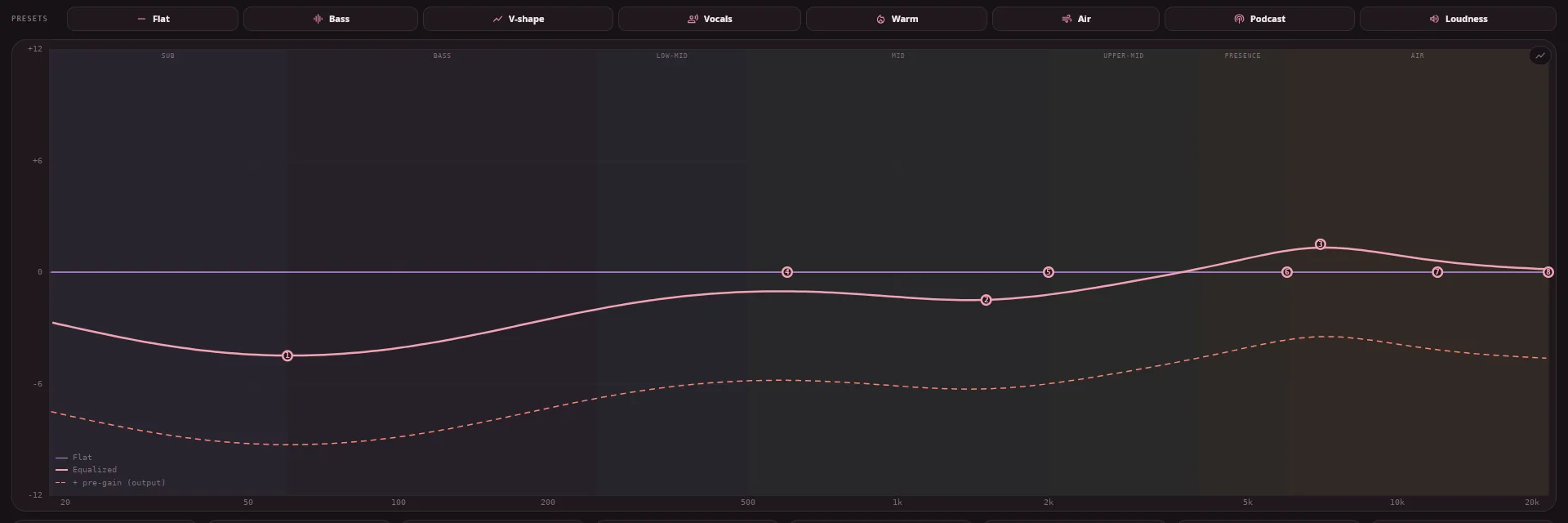
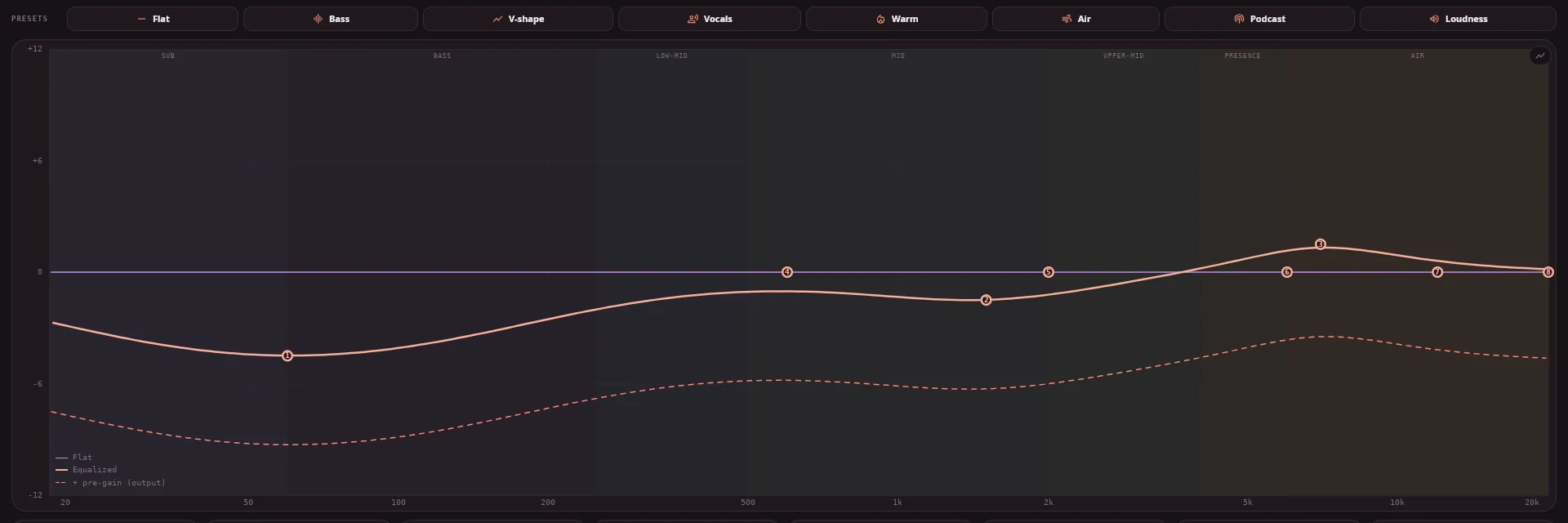
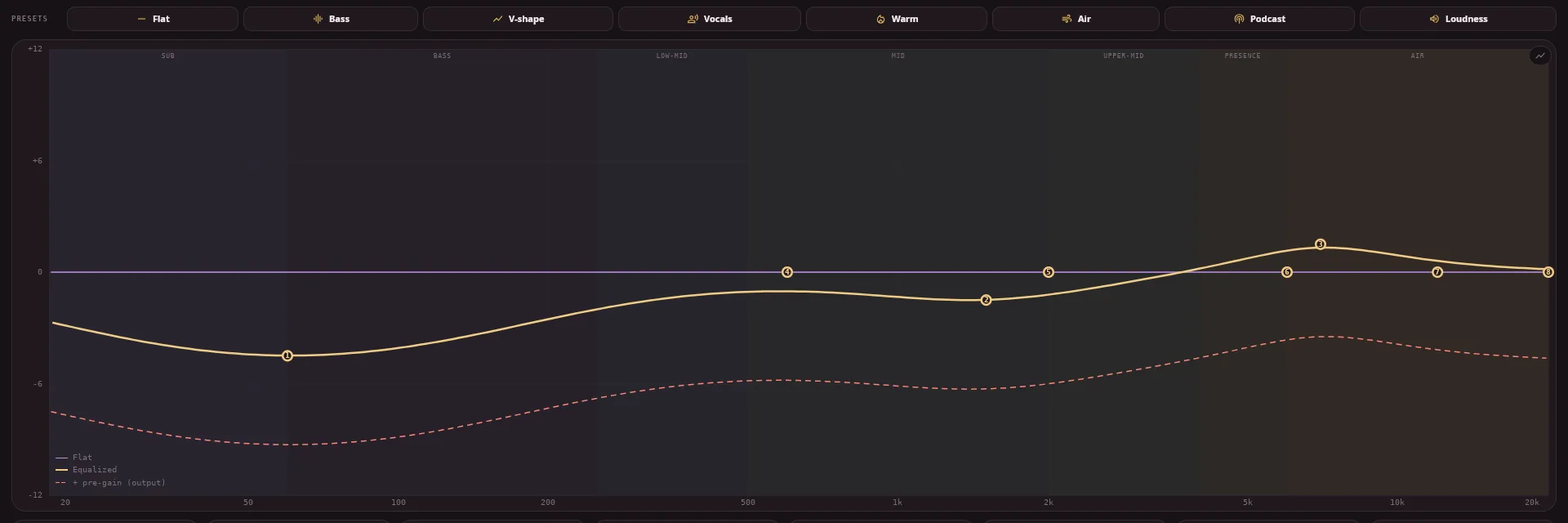
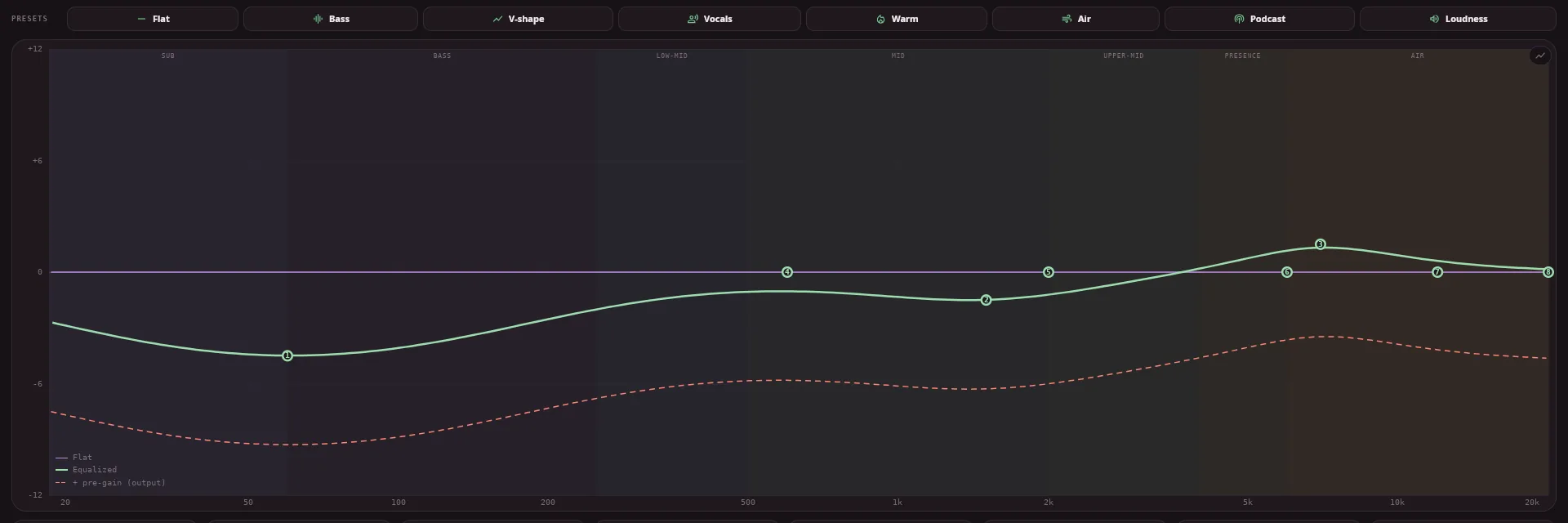
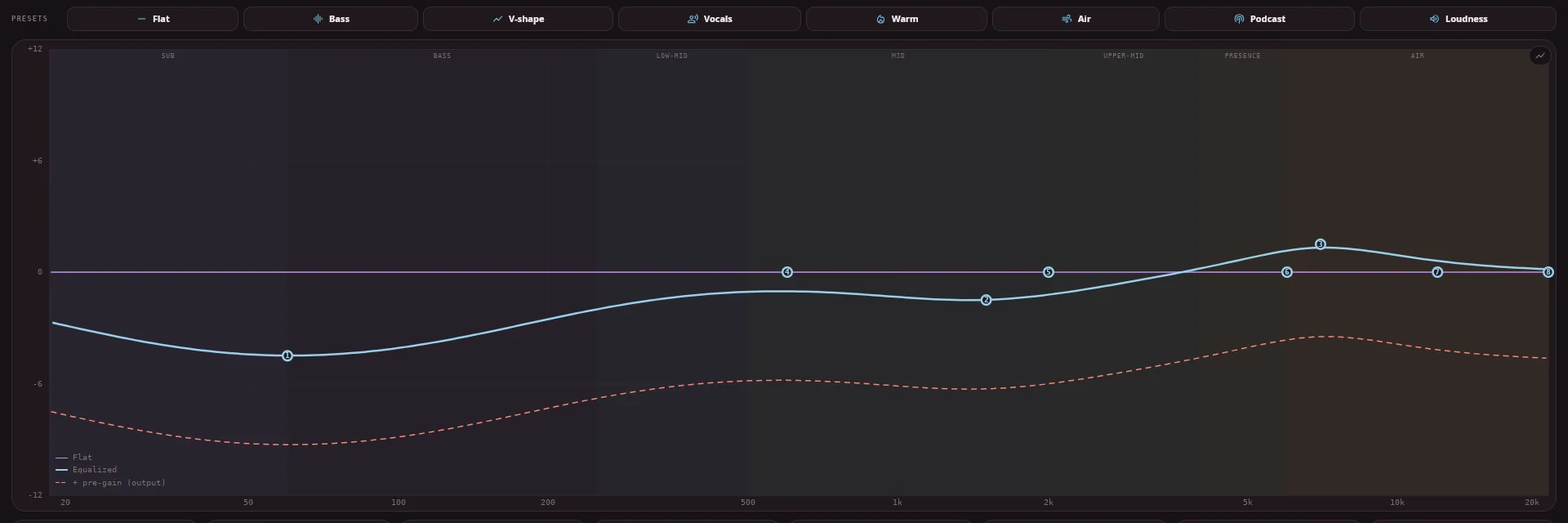
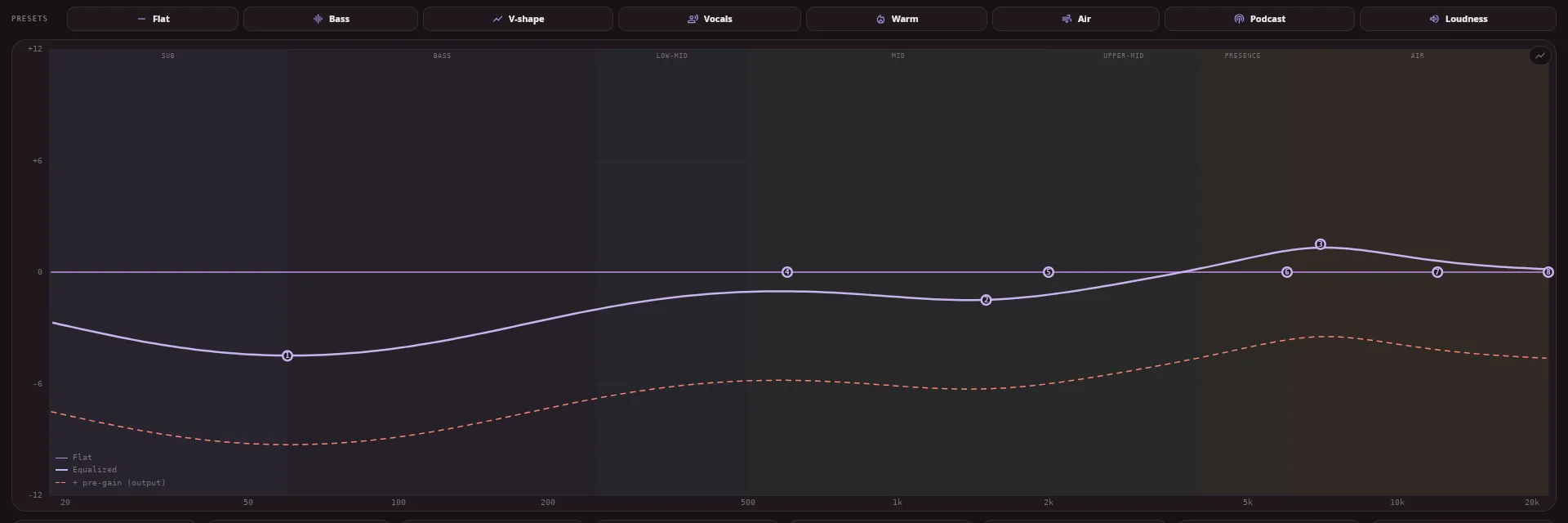
The hue drives the primary action, the active state and the equalised curve. The reference and output traces never move — those are learned colours, and nobody should have to relearn a graph because they liked the green.
Everything 1.1.0 and 1.2.0 added.
All of this spent time on the beta channel and is now on stable — you get it by downloading Hub Moon, with nothing to switch on. The changelog marks every release with the channel it was on.
AutoEQ, in the app
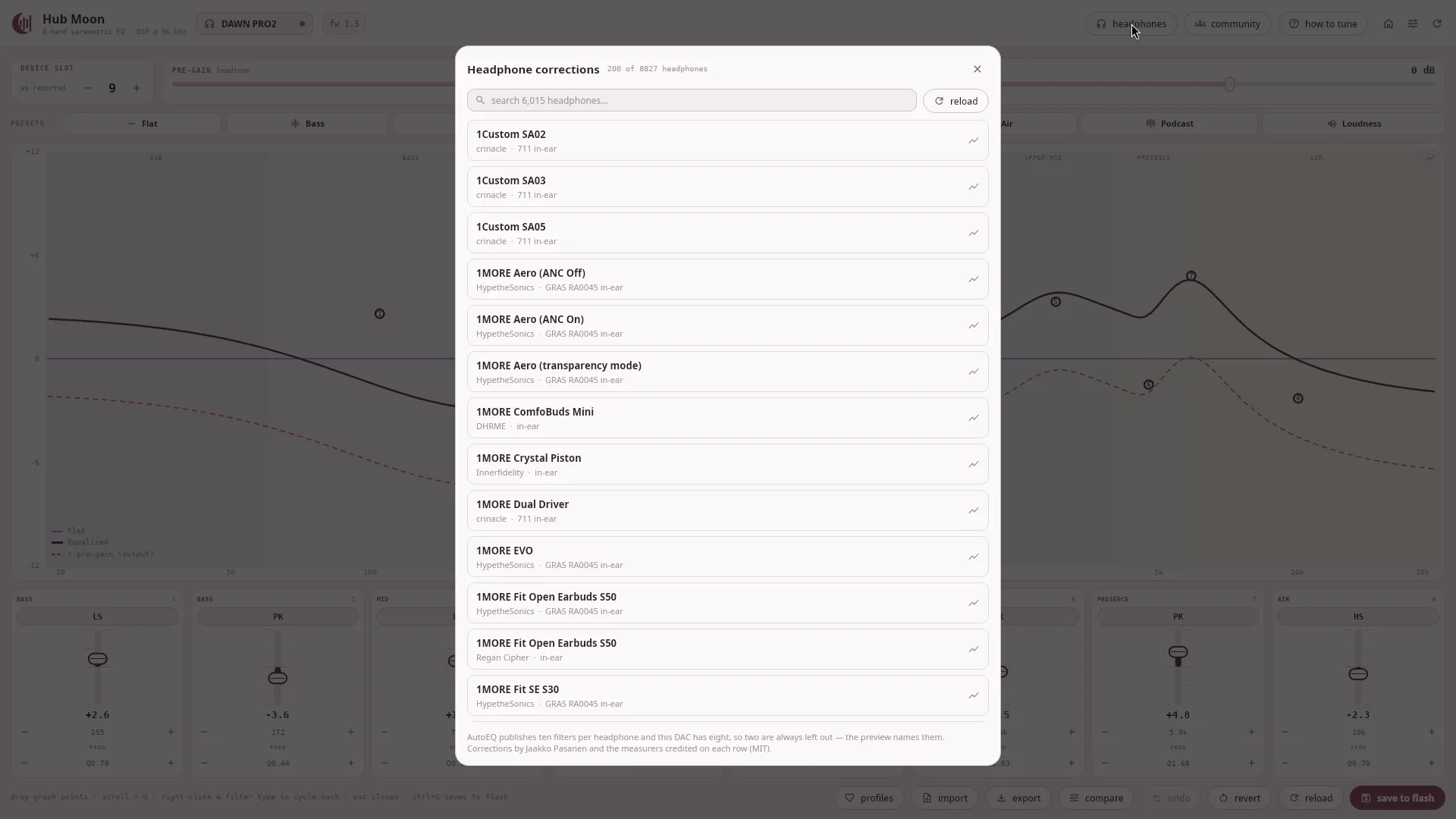
8,827 corrections covering 6,015 headphones from 23 measurement sources, searchable, two clicks to apply. Every row names the rig it was measured on — six people have measured the HD 600 and they do not agree, so collapsing that to one "best" answer would be inventing a verdict this project has no business holding.
A/B, held not toggled
Hold compare to hear the headphone with none of your tuning. Pre-gain goes to 0 for the duration, so both sides peak in the same place — leaving it in would compare your curve against a signal several decibels quieter, and louder always wins a blind comparison.
Mute, solo and undo
Hover a band's slot number to mute it and hear what it was doing; solo asks the faster question, "what is this one doing". Undo is separate from revert — one step back rather than all the way to what flash holds — and a fader drag is one step, not the thirty frames it was made of.
Saved profiles
Name the curve on screen and keep it, with no limit. The DAC's own slots live in its flash, are finite, and travel with the hardware instead of with you. A profile is byte-identical to an export, so one can be mailed to somebody and imported.
Four palettes
Moon, Paper, Slate and Carbon — the surfaces and the ink, which is nearly the whole screen, and independent of the six accents. Each has a light and a dark half picked separately rather than inverted.
A guide with the shapes in it
Eight topics, each opening on a diagram drawn by the same response engine the editor plots with — three Q values at one gain, a shelf against a peak, what pre-gain costs. And a walkthrough that rings the real controls instead of describing them.
It updates itself
One small manifest a day. On Windows, macOS, the AppImage and the tarball it
downloads, checks the SHA-256 and replaces itself. On a .deb,
.rpm or Arch package it fetches and verifies the right one and asks your
desktop for permission — the password goes to the system, never through the app.
Keyboard editing
1–8 picks a band, arrows move gain and frequency, [ ] change Q, 0 flattens, m mutes, s solos, space held bypasses. For a tool you use while listening, most of the work was still on the mouse.
Beta and stable are built by the same three CI runners from the same commit, with the same signed-by-checksum assets. What differs is how long they have been in front of people.
2.0 is out, on stable.
2.0.0 is the new stable release. Download it, or let the app offer the update. Everything below was run against real hardware here; Windows and macOS are built by CI and tried by whoever volunteers. 2.0 also changes the settings format.
2.0 is about discovery: finding a curve worth having, and knowing what you are listening to once you have it.
One library, four sources
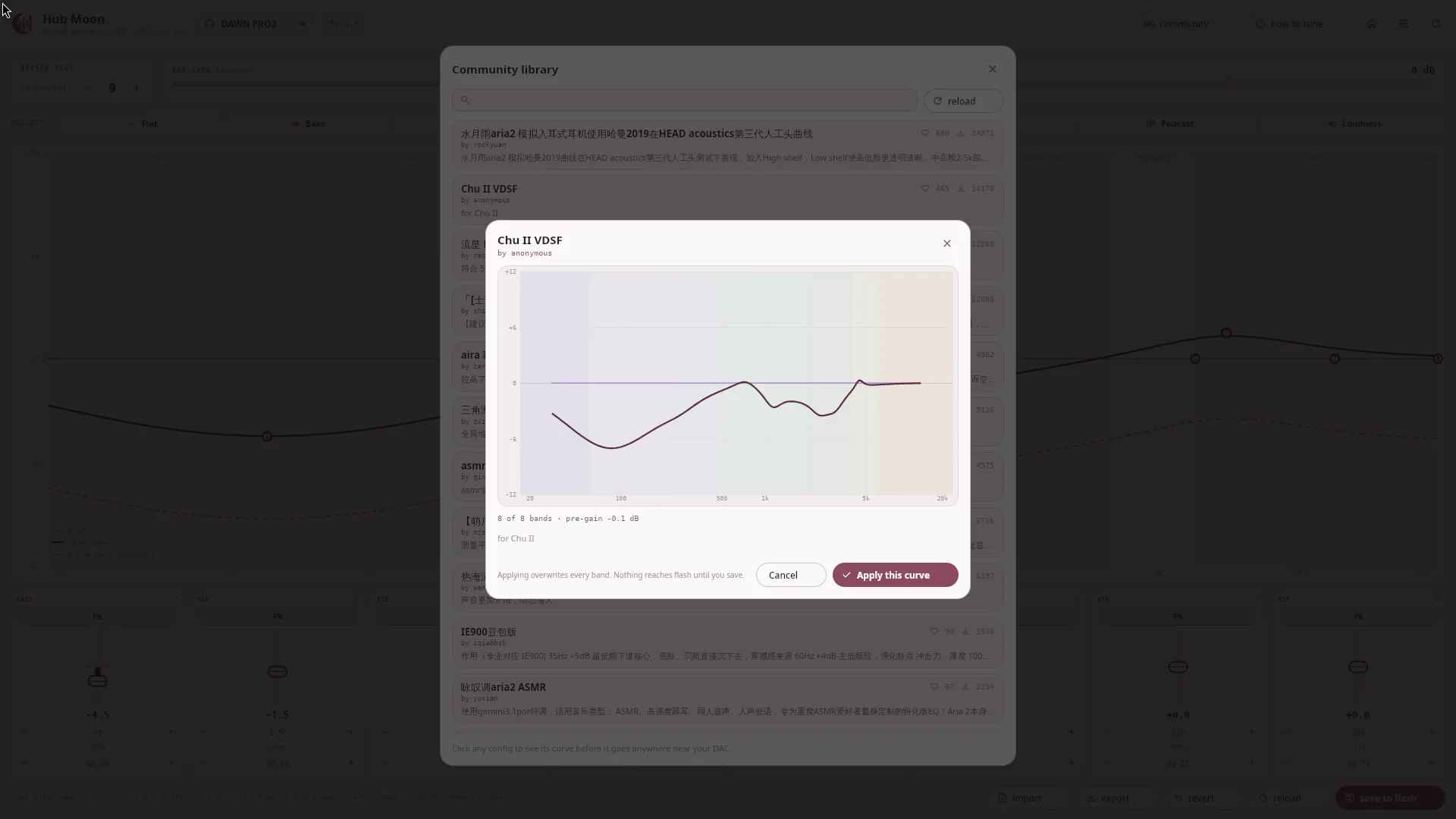
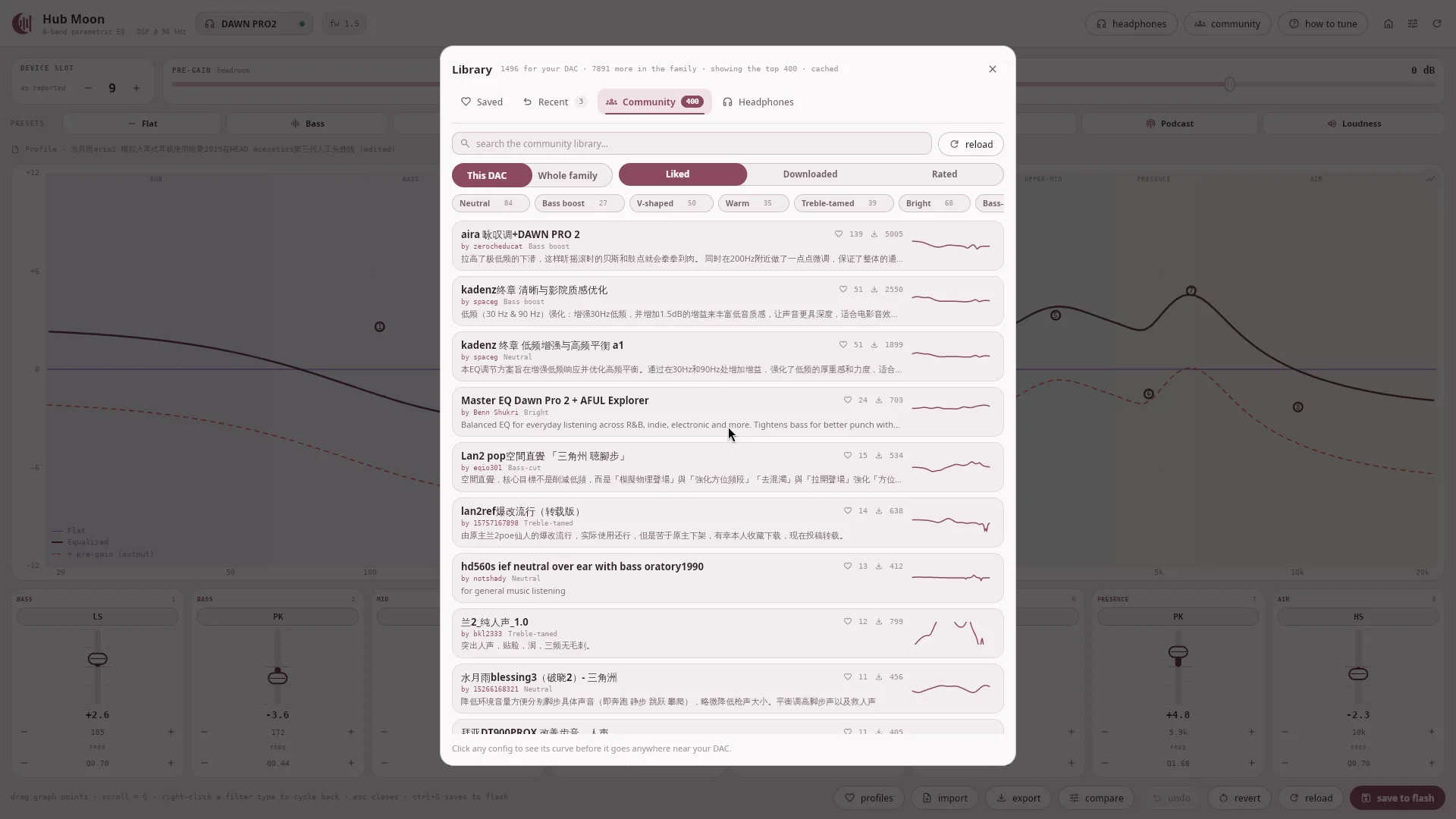
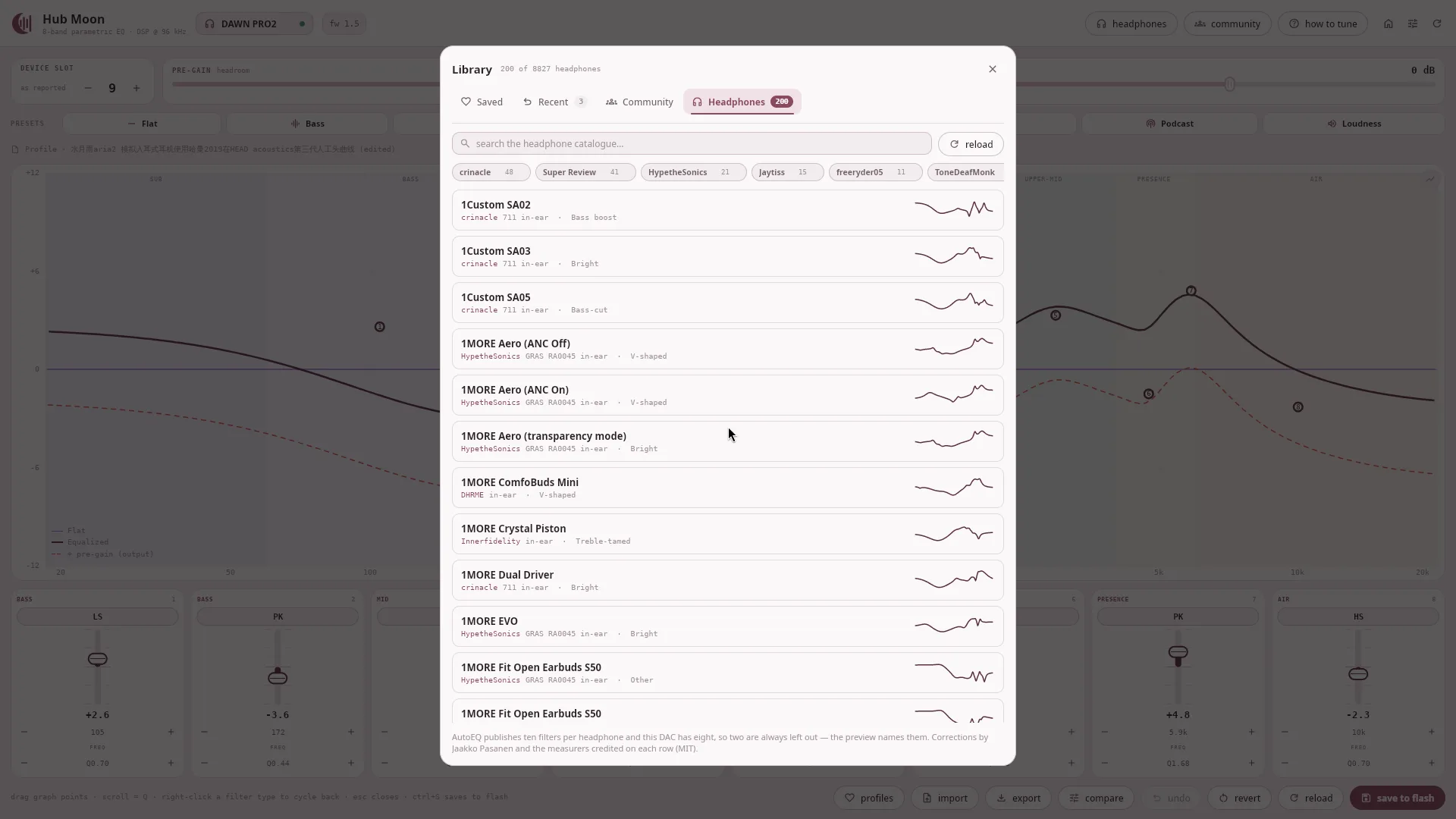
Saved profiles, the ones you applied recently, the community index and the headphone corrections were four separate full-screen panels that were each the same screen: a searchable list of curves, a preview, apply. They become one Library with the source as a tab — yours first, then everybody else's.
Filter by what a curve does
Of the 9,243 configs a DAWN PRO2 query returns, 25 carry a tag. So the label comes from the curve instead: the bands are summed into a response and read as a tilt against the mids — Neutral, Bass boost, V-shaped, Warm, Treble-tamed, Bright, Bass-cut. A curve that fits no rule is "Other" rather than being forced into the nearest bucket.
Every card draws its own curve
A shelf of shapes can be read at a glance in a way a shelf of titles called
"V2 final" cannot. It matters more than it sounds: most of that library
is titled in Chinese, and a search over titles is no help to somebody who cannot type
them. Searching now matches the shape too, so "bass" finds bass-boosted curves whose
authors never wrote the word.
Only the presets for your DAC
The server pools by device family, so a DAWN PRO2 query answers with 9,243 rows of which 1,485 are DAWN PRO2 uploads and 5,518 belong to a FreeDSP Pro. Each row says which it was uploaded for, so telling them apart costs one comparison. On by default, whole family one click away, and the header says what is being hidden either way.
Curves remember where they came from
A chip under the presets says what is on the device — "Community · aira 咏叹调", "AutoEQ · HD 600" — and says "(edited)" the moment a band moves. Until now bands were anonymous: once written, a community config and a curve drawn by hand were identical and the app could not tell you which you were hearing.
Your DAC's own presets, told apart from yours
A DAWN PRO2 has five built-in profiles the volume buttons cycle, and one custom profile the app writes. Cycle to a built-in and Hub Moon used to read that and draw it as the curve you were editing. It now says which profile is playing, whether it is yours, and offers one button back.
Motion, with an off switch
Every animation runs off one scale, and Appearance gets Full · Reduced · Off for it. Off is genuinely off — a duration of zero animates nothing — and nothing the app does waits for an animation to finish. It has to be a setting because the toolkit cannot read the desktop's reduced-motion flag, and animation you cannot switch off is an accessibility problem rather than a taste one.
A library that scrolls properly
Four hundred cards were laid out on every frame when nine fit on screen, which cost more than half the frame rate: 54 fps sitting still, 49 while scrolling. Only the rows near the viewport are built now — 76 and 74. The little curve on each card is drawn on the thread that fetched it rather than on the one drawing the window.
New since the beta
2.0.0 is everything above, plus control over the DAC's own buttons. These arrived after 2.0.0b1, so they were never on the beta channel. Everything in 2.0.0.
A tray menu
EQ on or off, a preset, one of your saved profiles, the volume, and Save to DAC, all from the system tray. The menu uses the same device connection as the window, so the two never compete for the DAC. On Windows the app minimises to the tray and comes back with your edits intact. Closing the window asks whether to exit or keep running in the tray.
Custom EQ, switched for real
On a DAWN PRO2 running firmware 1.5, one button switches the DSP between normal and custom EQ. That is the same red/yellow switch the LED shows, and it follows when you press the hardware button instead. In normal mode your edits wait until you switch to custom EQ rather than being played into a mode that ignores them.
The volume the buttons control
A Volume slider for firmware 1.5 sets the same live gain as the physical buttons, and moves when they do, down to the last step below the nominal range. The old output slider is now labelled Volume trim, because it was always a separate setting. Firmware that does not support this leaves the slider switched off.
Hub Moon will get fewer updates for a while. I'm starting my final year project at university, and that has to come first. The app isn't abandoned: bug reports are still read, serious bugs will still get fixed when I can, and 2.0.0 stays on stable in the meantime. New features wait until the project is done.
It refuses to lie about what the hardware can do.
The firmware stores biquad coefficients as Q2.30, which spans only [−2, 2). Some otherwise reasonable filters need coefficients outside that — and the official app does not check. Its JavaScript packs with bitwise operators that wrap modulo 2³², so past those limits it silently programs a filter unrelated to the curve it just drew you.
$ python3 moondrop_control.py --set-peq 3 high_shelf 8000 10 0.7
Error: high_shelf @ +10.0 dB overflows the firmware's Q2.30 coefficient
range (b0=2.514, limit +/-2.0). Max safe gain for high_shelf at
8000 Hz / Q=0.7 is about +4.7 dB. Refusing to write: the official
app wraps here and programs a filter that does not match the curve
it draws.
| Coefficient | When it happens | Example |
|---|---|---|
| b1 < −2 | A high_shelf above roughly +5 dB, or one with a corner below
roughly 200 Hz at any gain |
high_shelf 150 6 0.7 |
| b0 > 2 | Any type at high gain, low Q and high frequency | peaking 20000 12 0.3 |
A +6 dB shelf's b1 wraps from −2.303 to +1.697, flipping sign. What the
firmware would do with that is untested — so this tool reports the largest gain that
fits instead of finding out on your DAC. In the app, the band is clamped and its card
tags itself limit.
Eleven listed. One tested.
Vendor ID 0x35D8. Names, IDs and columns are read out of the official web
app's own registry, with a scrambled name-to-ID mapping corrected. Only the DAWN PRO2
has been tested against real hardware — every other row is plausible but unproven.
| PID | Device | Tested | Custom-PEQ profile | Pre-gain |
|---|---|---|---|---|
| 0x011B | Rays | — | 7 | not supported |
| 0x011C | Marigold | — | 7 | yes |
| 0x011D | DAWN PRO2 | tested · fw 1.5 | 7 | yes |
| 0x011E | AG Rays | — | 7 | yes |
| 0x0120 | DHA15 | — | 7 | yes |
| 0x012A | INN Deco75-DH Audio | — | 7 | yes |
| 0x012B | Deco Audio System | — | 7 | yes |
| 0x43DA | MOONRIVER 3 | — | 7 | not supported |
| 0x98D3 | FreeDSP Pro | — | 7 | not supported |
| 0x98D4 | FreeDSP Mini | — | 7 | yes |
| 0x98D5 | E.S. combo | — | 4 | yes |
| 0x0122 | Old Fashioned | refused | registers, not biquads — 5 bands, no pre-gain or global gain | |
Old Fashioned is detected, then refused
It does not drive PEQ with biquad coefficients the way every device above does. It
writes through device registers (EQ_REG_BASE 38, WRITE_REG 87)
using int8 gain ×10, uint16 frequency and int16 Q ×1000, and exposes 5 bands. None of
these commands would mean anything to it.
"I changed the EQ and nothing happened"
On a DAWN PRO2 the equaliser is toggled on the hardware — press both volume buttons. PEQ writes only affect the sound in custom-EQ mode, and no readable register reports which mode the device is in. The long version.
59,700 curves, and no account needed.
Moondrop Hub carries a public library of user-made tunings from about 19,900 authors. Reading it needs no account, no key and no token — so the CLI browses it, and the app draws any curve's response before it goes anywhere near your DAC.
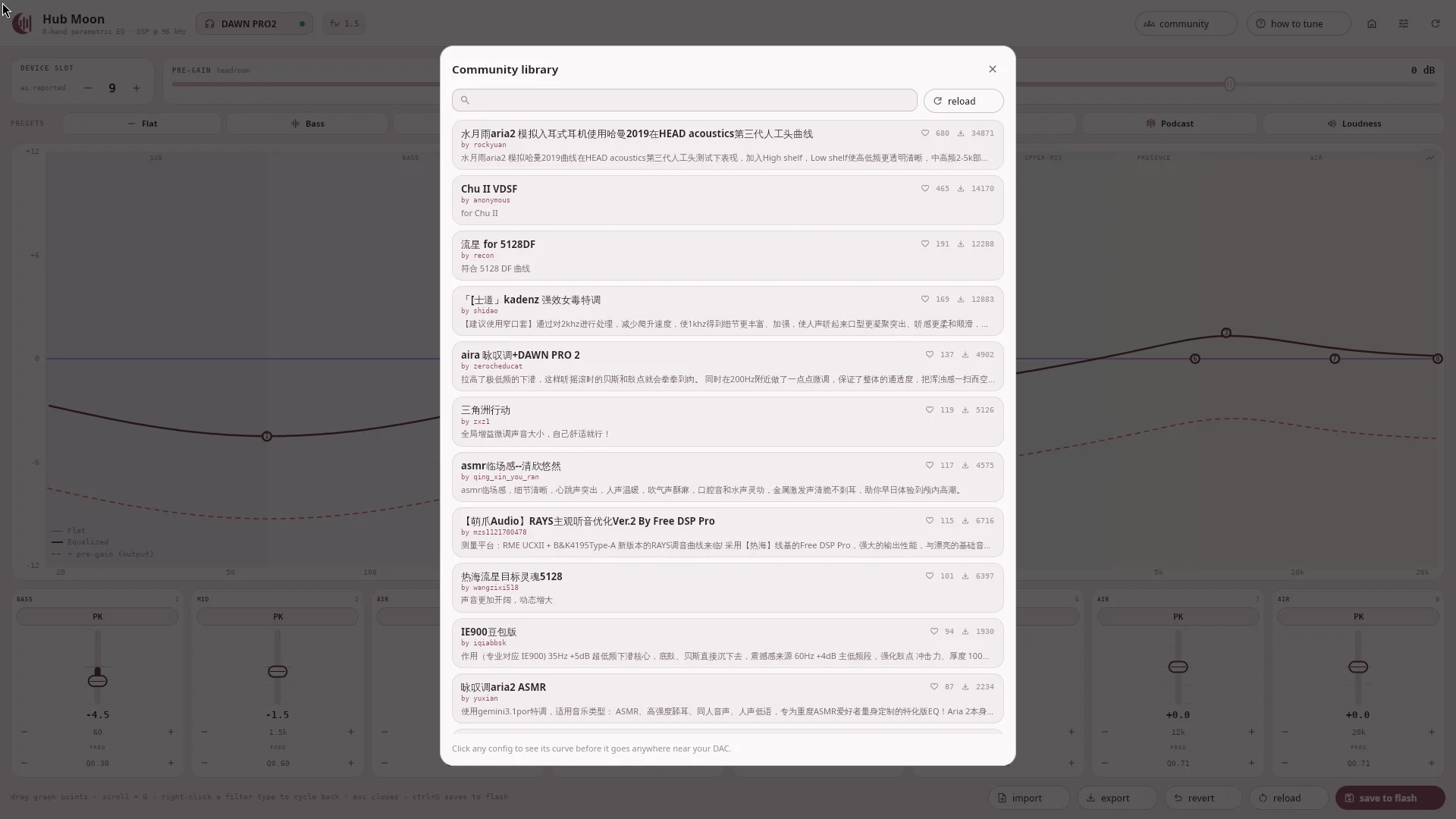
Your whole device family
The server pools by the app's sharedConfigGroupId, so a DAWN PRO2 sees
around 6,900 curves — its own 1,270 plus every other FreeDSP-family device.
Cached for a day, for a reason
The API has no pagination at all: page and limit return
zero rows rather than being ignored. The smallest possible request is the
entire ~3.6 MB index, so it is fetched once and searched locally.
Headroom, derived
Published curves carry no pre-gain of their own and most are boost-heavy, so a loud one clips. The app derives the headroom from the curve and applies it alongside the bands.
What has actually been run against a DAC.
The protocol was reverse engineered, so the honest thing is to say exactly what has been exercised on real hardware and what has not. This is that list.
| Area | Result | Status |
|---|---|---|
| Discovery & state | --list, --info, --get-peq, --json on a DAWN PRO2, firmware 1.5 | verified |
| Backup round-trip | --export-json → --import-json wrote 8 bands plus both gains to flash and compared byte-identical to the backup | verified |
| Writes are audible | A low_pass at 800 Hz written live in custom-EQ mode audibly muffled playback; restoring the band returned it to normal | verified |
| Flash persistence | The flashed config survived a physical unplug/replug byte-identical — and --no-flash writes correctly did not survive | verified |
| REW import | --import-rew against an exported ParametricEQ.txt | verified |
| Stream status | --stream-status idle and during playback | verified |
| Community library | 6,911 presets for the DAWN PRO2's family; both flags strace-confirmed to open zero /dev/hidraw handles | verified |
| Desktop app | Reads, live band writes with a verified read-back, drag-to-edit, presets, import/export, the community library and both graph views — plus a run under a fontconfig sandbox with Material Symbols removed, proving the icons need no font | verified |
| Windows | The packaged build installs, launches and browses the community library on two machines — AndrewYii and NyChieng. No DAC was attached, so HID reads and writes there are still unproven | interface only |
| Interactive panel | -i — written, but never run against a device | untested |
| macOS | The packaged .dmg installs and runs on an M4 MacBook Air (Apple Silicon) | verified |
| Every other device | Names, IDs and columns come from the app's registry only | untested |
It writes to your DAC's flash. Take a backup first —
python3 moondrop_control.py --export-json profile.json — and keep it
somewhere you will find it again.
Install it.
Installers for Windows, macOS and Linux are attached to every release — no Python needed. From source, the CLI wants Python and two libraries; the desktop app is one extra.
$ pip install "hub-moon[gui] @ \
    git+https://github.com/MiyukiVigil/Hub_Moon"
$ hub-moon --list
# drop [gui] for the CLI alone: hidapi + certifi, nothing else
Linux packages install the udev rule for raw HID access · macOS is ad-hoc signed, so right-click → Open on first launch · Windows is unsigned, so SmartScreen will ask.