 HUB MOON
Documentation · Download
Ready to hear it? Download Hub Moon.
A parametric EQ that writes to your Moondrop DAC's own DSP — installer, app and command line in one package. Pick your platform; everything below is built from the same release.
Windows interface tested · no DAC
Two shapes: an installer that adds a Start-menu entry and an uninstaller, or a portable zip you can unpack onto a stick and run. Neither needs Python — the runtime is inside the build.
Download the installer
HubMoon-Setup-2.0.0.exe from the release page. The portable build is
HubMoon-2.0.0-windows-portable.zip in the same list.
Run it, and click through SmartScreen
The installer is not code-signed — signing certificates cost money this project does not have — so Windows will interrupt with a blue panel. Choose More info → Run anyway. If that makes you uncomfortable, build it yourself from source; the workflow that produces this file is in the repository.
Plug the DAC in and open Hub Moon
No driver and no udev rule: Windows exposes HID devices to userspace already. The app should name your DAC in the header within a second of launching — and if it does not, please say so, because nobody has run this build with a DAC attached on Windows yet. What has been checked there is that the app installs, opens and can browse the community library.
Take a backup before you change anything
Open a terminal in the install directory and snapshot the device — it writes to the DAC's flash, and this file puts every byte back.
> .\hub-moon.exe --list
> .\hub-moon.exe --export-json profile-backup.json
macOS tested on an M4 MacBook Air
A normal drag-to-Applications disk image, built for Apple Silicon and run on an M4 MacBook Air. It is ad-hoc signed rather than notarized, which is the only thing that makes the first launch awkward.
Download the disk image
HubMoon-2.0.0-macOS-arm64.dmg. On an Intel Mac, Rosetta 2 runs the
arm64 build; there is no separate Intel download.
Drag Hub Moon into Applications
The image opens with the app and an Applications shortcut side by side.
First launch: right-click → Open
The app is ad-hoc signed but not notarized — notarization needs a paid Apple Developer ID — so Gatekeeper calls it an unidentified developer. Right-click the app and choose Open once, and macOS remembers. From a terminal, the equivalent is:
$ xattr -dr com.apple.quarantine "/Applications/Hub Moon.app"
Plug in and back up
macOS grants HID access without extra permissions. Snapshot the device before you start editing.
$ "/Applications/Hub Moon.app/Contents/MacOS/hub-moon" --export-json profile-backup.json
Linux developed and tested here
Every packaging format is built for each release, so use whatever your distribution
prefers. The quickest path is the AppImage; the tidiest is your own package manager.
The .deb, .rpm and Arch packages install the udev rule for
you, which is what lets the tool open the DAC without sudo.
The quick way — AppImage
One file, no install, runs on any glibc distribution.
$ chmod +x HubMoon-2.0.0-x86_64.AppImage
$ ./HubMoon-2.0.0-x86_64.AppImage
Or install it properly
Debian, Ubuntu, Mint, Pop!_OS · Fedora, RHEL, Rocky, Alma · openSUSE · Arch, CachyOS, EndeavourOS, Manjaro · NixOS · Steam Deck · anything else — each has its own command, all of them on the Linux page.
Give yourself HID access
Only needed if you used the AppImage or the tarball — the packages do this for you.
Without it the tool reports that it failed to open the device. Both lines matter:
these builds bundle a libusb-backed hidapi, which opens
/dev/bus/usb/… rather than /dev/hidraw…, so a hidraw-only
rule grants access to a node the program never looks at.
$ echo 'SUBSYSTEM=="hidraw", ATTRS{idVendor}=="35d8", TAG+="uaccess", MODE="0660"'
    | sudo tee /etc/udev/rules.d/70-moondrop.rules
$ echo 'SUBSYSTEM=="usb", ATTRS{idVendor}=="35d8", TAG+="uaccess", MODE="0660"'
    | sudo tee -a /etc/udev/rules.d/70-moondrop.rules
$ sudo udevadm control --reload-rules && sudo udevadm trigger
# then unplug and replug the DAC
Find it, then back it up
$ hub-moon --list
Connected Moondrop Devices:
  - DAWN PRO2 [Vendor ID: 0x35D8, Product ID: 0x011D] (Path: /dev/hidraw2)
$ hub-moon --export-json profile-backup.json
Every download
One release, built on three runners, attached to the same tag. Sizes are approximate — the bundles carry their own Python runtime.
| Platform | Download | Install with |
|---|---|---|
| Windows | HubMoon-Setup-2.0.0.exe 21 MB | Double-click. Start-menu entry and an uninstaller. |
| Windows · portable | HubMoon-2.0.0-windows-portable.zip 28 MB | Unpack and run hub-moon.exe. Nothing is installed. |
| macOS · Apple Silicon | HubMoon-2.0.0-macOS-arm64.dmg 27 MB | Drag to Applications, then right-click → Open the first time. |
| Linux · portable | HubMoon-2.0.0-x86_64.AppImage 42 MB | chmod +x and run. No install, no root. |
| Debian · Ubuntu | hub-moon_2.0.0-1_amd64.deb 46 MB | sudo apt install ./…deb |
| Fedora · RHEL · openSUSE | hub-moon-2.0.0-1.x86_64.rpm 46 MB | sudo dnf install ./…rpm |
| Arch · CachyOS · Manjaro | hub-moon-2.0.0-1-x86_64.pkg.tar.zst 45 MB | sudo pacman -U ./…pkg.tar.zst |
| Any distribution | HubMoon-2.0.0-linux-x86_64.tar.gz 45 MB | Unpack and run ./hub-moon/hub-moon. |
Where new work lands before it is stable. Everything on this channel has been built and tested on Linux with real hardware; Windows and macOS are built by CI and tried by whoever volunteers.
Right now stable is ahead. 2.0.0 is newer than the last beta, and with my final year project under way new betas will be rare for a while, so stable is the channel to be on. Why updates are slower.
On it right now: 2.0.0b1, published 2026-08-18. What changed in it · what the line it belongs to is for. A beta may change the settings format: your profiles survive a rollback to stable, but anything the older build has no field for is dropped on the way back.
You do not have to reinstall to keep up with it. Once you are on any build, Settings ▸ Updates ▸ Channel ▸ Beta switches the app itself over, and it will offer each new beta as it lands. Switching back to Stable offers you the return trip — the app calls that one a rollback, because it is installing something older than what you are running.
| Platform | Download | Install with |
|---|---|---|
| Windows | HubMoon-Setup-2.0.0b1.exe 17 MB | Double-click. Start-menu entry and an uninstaller. |
| Windows · portable | HubMoon-2.0.0b1-windows-portable.zip 22 MB | Unpack and run hub-moon.exe. Nothing is installed. |
| macOS · Apple Silicon | HubMoon-2.0.0b1-macOS-arm64.dmg 21 MB | Drag to Applications, then right-click → Open the first time. |
| Linux · portable | HubMoon-2.0.0b1-x86_64.AppImage 37 MB | chmod +x and run. No install, no root. |
| Debian · Ubuntu | hub-moon_2.0.0b1-1_amd64.deb 40 MB | sudo apt install ./…deb |
| Fedora · RHEL · openSUSE | hub-moon-2.0.0b1-1.x86_64.rpm 40 MB | sudo dnf install ./…rpm |
| Arch · CachyOS · Manjaro | hub-moon-2.0.0b1-1-x86_64.pkg.tar.zst 38 MB | sudo pacman -U ./…pkg.tar.zst |
| Any distribution | HubMoon-2.0.0b1-linux-x86_64.tar.gz 39 MB | Unpack and run ./hub-moon/hub-moon. |
Distribution-by-distribution commands — including openSUSE, Void, Gentoo, Alpine and the Steam Deck — are on the Linux page.
From source, with pip
The one to use if you want hub-moon on your PATH and
moondrop_control importable. If you only want the app, use a package
above instead — it installs a launcher entry and you never touch a terminal. Two
entry points are installed here: hub-moon, the CLI, and
hub-moon-gui, which goes straight to the window (windowed — no console
on Windows). Note that a pip install differs from a packaged one here: bare
hub-moon prints help rather than opening the app, so use
hub-moon-gui.
$ pip install "hub-moon[gui] @ git+https://github.com/MiyukiVigil/Hub_Moon"

# CLI only — hidapi and certifi, nothing else
$ pip install "hub-moon @ git+https://github.com/MiyukiVigil/Hub_Moon"
$ git clone https://github.com/MiyukiVigil/Hub_Moon.git
$ cd Hub_Moon
$ pip install -r requirements.txt       # just hidapi
$ pip install -r gui/requirements.txt   # adds slint, for the window
$ python3 moondrop_control.py --list
Arch, Debian and Fedora now refuse a global pip install. Use
pipx install "hub-moon[gui] @ git+…", a virtualenv, or your distribution's
package — do not reach for --break-system-packages on a machine you care
about.
hidapi · certifislint ≥ 1.13, lazy-imported — the CLI never loads it~/.config/hub-moon/settings.json — appearance only, never device state~/.cache/hub_moon/ — the community index, refetched dailyFirst run
In this order. The third step is the one people skip and then wish they had not.
1 · is the DAC there at all
$ hub-moon --list

2 · what does it say about itself
$ hub-moon --info
Device Name:       DAWN PRO2
Firmware Version:  1.5
Active EQ Profile: 9
Pre-Gain:          -4.80 dB
Global Gain:       0.00 dB
PEQ Bands:         8

3 · take a backup before you change anything
$ hub-moon --export-json profile-backup.json

4 · then open the app from your launcher, or keep going in the shell
$ hub-moon-gui
Writes go to the DAC's flash unless you pass --no-flash. The backup in
step 3 is a complete snapshot — eight bands, pre-gain, global gain — and
--import-json puts every byte of it back. Keep it.
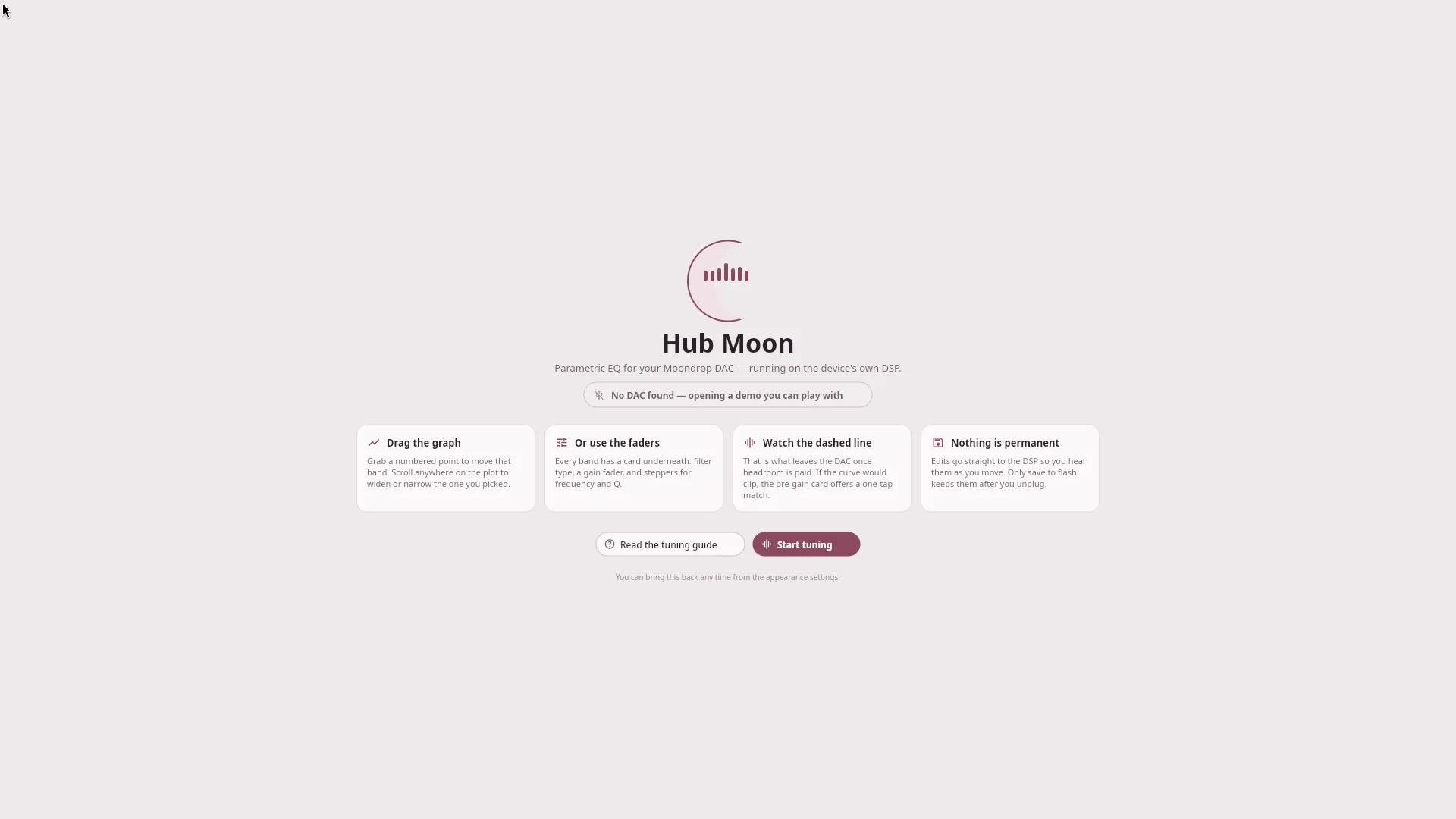
Press both volume buttons to switch between the default (no EQ) mode and custom EQ. PEQ writes only affect the sound in custom-EQ mode — so if your edits are inaudible, check that before you suspect the tool. The long version.
Updating and removing
Since 1.1.0 the app checks for itself — one small manifest a day, and a banner in Settings when there is something newer. There is a stable channel and a beta one, and you can turn the whole thing off.
It only installs an update where doing that is safe. Five of the ways Hub Moon
ships are owned by a package manager, and an application that overwrites files
dpkg believes it owns has broken the system it meant to update — so on those
it shows you the command instead of a button that would lie.
| How you installed it | What the update button does | |
|---|---|---|
| Windows installer | Downloads and runs the new one — it upgrades in place and keeps your Start-menu entry | automatic |
| Windows portable | Swaps the extracted folder and restarts | automatic |
| macOS | Mounts the new .dmg and replaces the app in place | automatic |
| AppImage | Replaces the single file and restarts | automatic |
| Linux tarball | Swaps the unpacked directory and restarts | automatic |
| deb / rpm / Arch / Nix | Nothing — it shows you apt, dnf, pacman or nix as appropriate | manual |
| pip / pipx | Nothing — it shows you pipx upgrade hub-moon | manual |
Every download is checked against a SHA-256 taken from the manifest, and an
asset without one is refused rather than installed. Each release also carries its own
SHA256SUMS-*.txt if you would rather check by hand.
That is the whole of it, stated plainly: the manifest is served over TLS from a domain this project controls, so if the manifest is genuine the download is. Nothing here is code-signed — the Windows installer is unsigned and the macOS bundle is only ad-hoc signed — so this protects you from a corrupted download, not from somebody who can serve you a manifest.
Checking defaults to on where Hub Moon ships the build itself and off where
a package manager owns it, because there is nothing an update check can tell an Arch user
that -Syu will not. HUB_MOON_NO_UPDATE_CHECK=1 disables it
everywhere without opening the app, and hub-moon --check-update asks once from
the shell.
pip install --upgrade "hub-moon[gui] @ git+…" · pip uninstall hub-moonWhere it keeps its files. These moved in 1.1.0 on Windows and macOS, which had been using the Linux layout; an existing config is carried across the first time 1.1.0 runs, and the Linux paths have not changed.
~/.config/hub-moon · cache
~/.cache/hub_moon · log ~/.local/state/hub-moon~/Library/Application Support/HubMoon · cache
~/Library/Caches/HubMoon · log ~/Library/Logs/HubMoon%APPDATA%\HubMoon · cache
%LOCALAPPDATA%\HubMoon\Cache · log %LOCALAPPDATA%\HubMoon\LogsEvery session writes to that log, and an unhandled error is recorded there with its traceback. If you are reporting a bug, that file is what to attach — Settings has an Open log folder button.
Troubleshooting
Check the DAC is on the USB bus at all: lsusb | grep 35d8 on Linux.
If the system sees it but the tool does not, it is almost always permissions — the
udev rule.
Either permissions, or something else already holds the handle. Only one process can usefully hold the hidraw at a time, so close the desktop app before running a write from the shell — two readers pick up each other's replies.
On a DAWN PRO2 the equaliser is toggled on the hardware — both volume buttons. Writes only affect the sound in custom-EQ mode, and the device does not report which mode it is in.
Deliberate: the coefficients would not fit the firmware's Q2.30 range, and the official app wraps silently rather than failing. The error names the largest gain that fits — see the overview.
It needs the system library to build against — Arch:
pacman -S hidapi; Debian/Ubuntu: apt install libhidapi-hidraw0
libhidapi-dev; Fedora: dnf install hidapi-devel. Or skip it and use
a packaged build.
The installer is unsigned. More info → Run anyway, or build it yourself from source — the GitHub Actions workflow that produces the file is in the repository.
Ad-hoc signed, not notarized. Right-click → Open once, or
xattr -dr com.apple.quarantine "/Applications/Hub Moon.app".
Also deliberate. That device programs its EQ through registers rather than biquad coefficients, so none of these commands would mean anything to it.
Open an issue with the output of hub-moon --list and
hub-moon --json — those two say almost everything about what your device
reports.
github.com/MiyukiVigil/Hub_Moon/issues